
How I prevent unwanted users from signing up to my B2B SaaS
TLDR: Prevent email addresses that are non-work/disposable/competitor/+1, restrict auth, use WAF, rate limit, manually verify, and/or require credit card.

For B2B SaaS, we only want serious prospects signing up.
In my experience, people who sign up using a non-work email are not serious people. Therefore it's better to just prevent them from signing up.
Why? Non-serious users eat up expensive cloud resources and our customer support team's time.

These are the preventative measures I implement in my B2B SaaS products at new user registration (Note: a lot of these apply more for higher-ticket SaaS than prosumer SaaS):
Prevent personal email addresses
Check for burner/temp email addresses
Prevent competitor email addresses
Prevent '+1' in email addresses
Auth provider restrictions
Use WAF
Rate limit your API
Manually verify new users
Make users enter a credit card
1. Prevent personal email addresses
The lowest-hanging fruit is to grab a list of personal email service providers (like Gmail, Yahoo) and blacklist them.
You can get a list of personal email addresses here.
2. Check for burner/temp email addresses
These are two free APIs you can use to check if someone is using a disposable email service (I've found it's best to verify from both b/c each provider has different data):

Additionally, grab a static list of known disposable email services here.
3. Prevent competitor email addresses
If you have a list of competitors, no reason to let them easily sign up for your product. Add their domains to your blocklist. If they want to snoop on your product, make it hard for them.
Pro tip: Throw a misleading error so they think your product has bugs.
4. Prevent '+1' in email addresses
Anyone with a Gmail/GSuite address can add a +1 to their email address, which results in a different email. For example, if my email is kevin@mycompany.com, I can use kevin+1@mycompany.com.
To prevent abuse, add validation to your backend to sanitize emails so that you get the true email address. Companies like Intercom use this strategy to prevent abuse on their free trial.
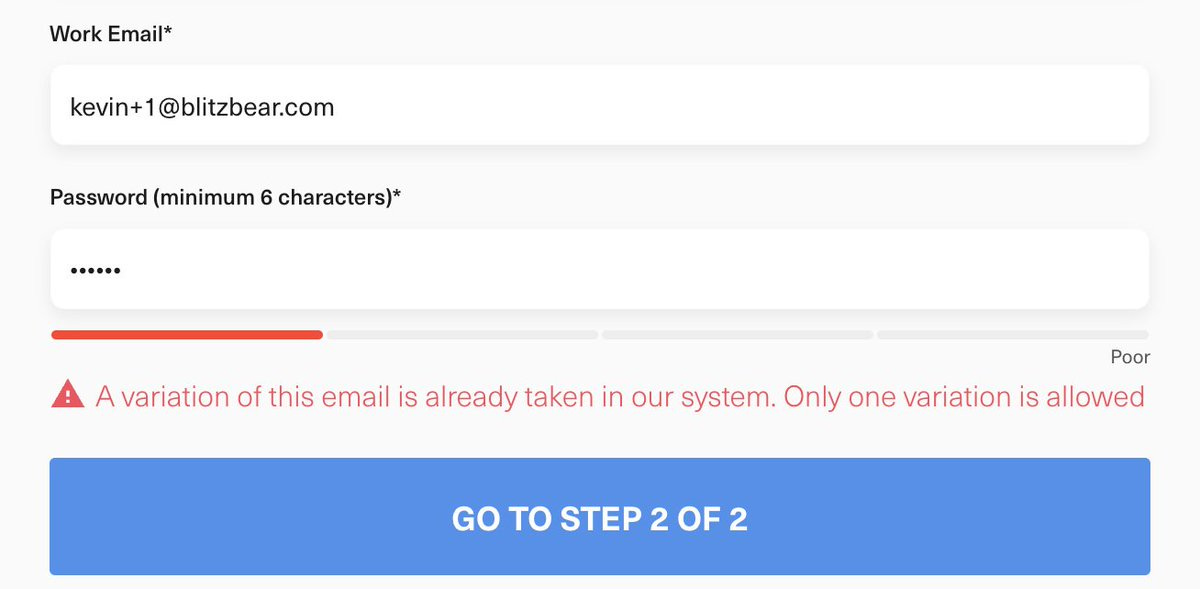
Pro tip: Make sure you add an allowlist for domains that belong to your company. This is useful in development to ensure employees/contractor don't run into this.
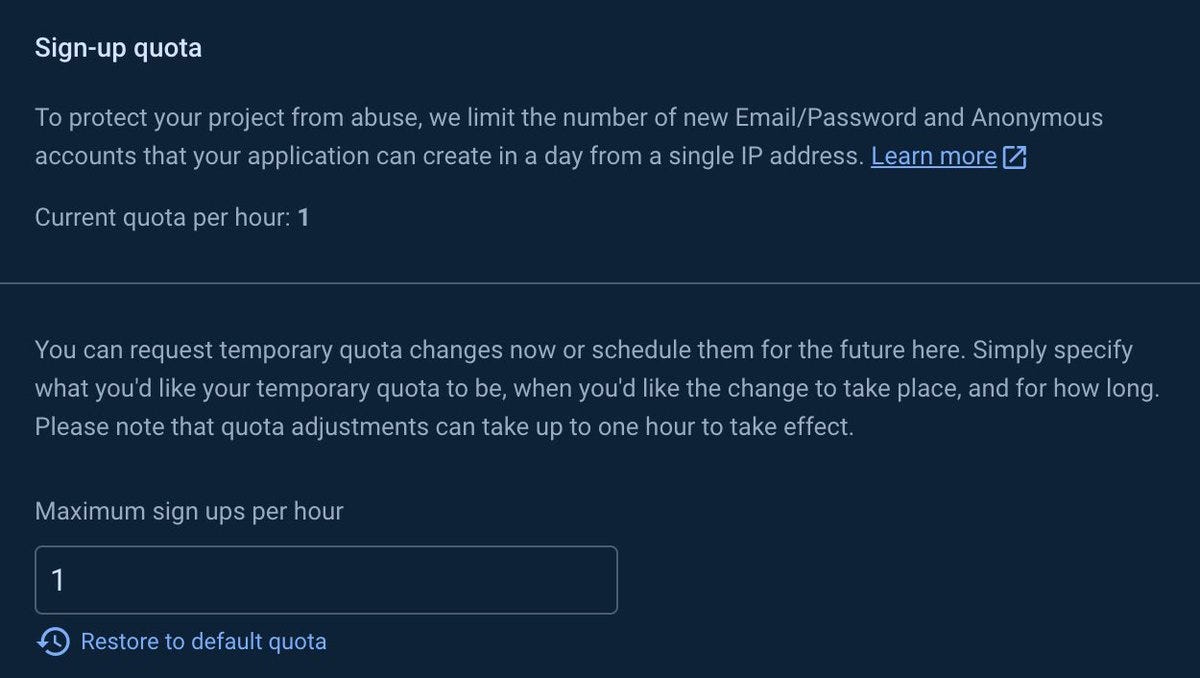
5. Restrict signups via your auth provider
If you are using an auth provider like Firebase, you can limit max sign ups.
6. Use WAF
If you use something like Cloudflare, you can use their WAF (web application firewall) feature to defend against bad actors. You can block by entire APNs or IP addresses with flexibility.
This is more of a reactive measure, but good defense if you need it readily available.
Pro tip: You can also use Cloudflare's API to dynamically update WAF rules (e.g, if someone sends an absurd number of requests, add a blocking rule that makes them cool down).
7. Rate limit your API
Either at the DNS level (e.g, Cloudflare) or application-level (e.g, your server), if you add rate-limiting to your signup form endpoint, this is a good practice to minimize abuse.
8. Manually verify new users
In my SaaS GrowSurf, we encountered a gnarly spammer who would take advantage of our free trial to send out spammy emails to his email list. I implemented all of the above, but he was a pro (using paid IP rotating services) and relentless (every single day picking on us for a month). Ultimately, we added a manual email verification system to combat this and win. Our support team could click a button to allow the email-sending feature, but users needed our manual approval first.
If you use an ESP like Postmark, it's important your spam rate be a small percent of your total emails sent, otherwise they will cut you out as a customer (after warnings).
9. Make users enter a credit card
This adds a lot of friction, but is useful depending on what product/service you're selling. We don't allow a credit card on signup, but for example, if your business is an email service provider, you definitely want users to enter a credit card this to protect the sender reputations of your IP addresses.